SYNOLOGY DSM 7 · SMB OR NFS · ABOUT 5 MINUTES
How to show your Synology photos as the Android TV screensaver
Any DS or RS model on DSM 7, from a DS220j to a DS1522+. The Synology Photos app isn't needed on the TV.
THE SHORT ANSWER
Synology doesn't make an Android TV screensaver, but Dreamr reads the NAS directly. Create a read-only DSM user, then in Dreamr on the TV choose SMB, enter the NAS's IP and the share photo (or homes for Synology Photos' personal space), and set Dreamr as the screensaver.
1. Find where your photos live
Shared Space
Family photos in Synology Photos' Shared Space are in the photo shared folder, which is created when Shared Space is turned on.
Personal Space
Your own uploads, including phone backups, are in homes › <your user> › Photos.
2. Make a read-only user for the TV
- Control Panel › User & Group › User › Create. Name it
tv. - On the Assign shared folders permissions page, tick Read only for
photo(andhomesif needed). Leave everything else as No access. - Control Panel › File Services › SMB: make sure Enable SMB service is ticked.
3. Enter it in Dreamr
| Dreamr field | SMB (recommended) | NFS |
|---|---|---|
| Server | 192.168.1.10 |
192.168.1.10 |
| Share / Path | photo |
/volume1/photo |
| Login | tv + password |
None. Access is by IP rule. |
For NFS: Control Panel › File Services › NFS: tick Enable NFS service and set Maximum NFS protocol to NFSv4 (or NFSv4.1 where your model offers it). Then Control Panel › Shared Folder › photo › Edit › NFS Permissions › Create: Hostname or IP 192.168.1.0/24, Privilege Read only, Squash “Map all users to admin”.
4. Set it as the screensaver
Android TV (Nvidia Shield and TVs with the classic Android TV home screen): Settings › Device Preferences › Screen saver › Screen saver › Dreamr.
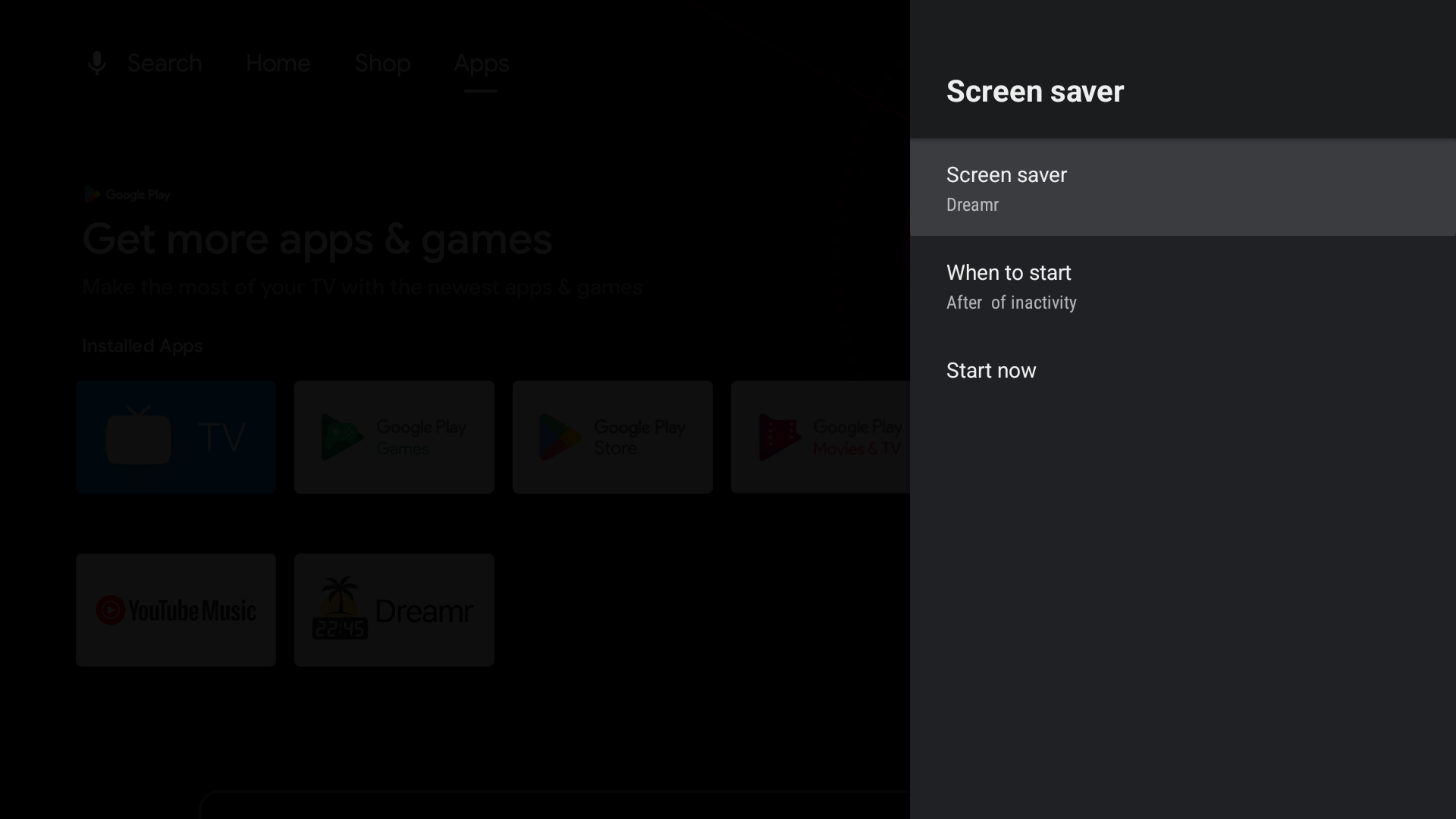
Google TV (Chromecast with Google TV, Google TV Streamer and Google TV televisions): Google removed third-party screensavers from the Settings menu. Set Dreamr once from a computer with adb:
adb shell settings put secure screensaver_components uk.co.shogunsoftware.dreamr/.PhotoDreamService